



I Pay OpenAI Bills Every Month. That’s Why This Announcement Caught My Attention
I run 20+ email inboxes through an AI automation system I built myself. Every classification call, every reply draft, every lead scoring pass — that’s tokens. Which means that’s money. I’ve gotten good at batching calls, caching responses, and structuring prompts to stay lean, but the fundamental constraint hasn’t changed: every time my agent does something, a clock is running somewhere in a data center, and the bill shows up at the end of the month.
So when Jensen Huang stood on stage at Computex 2026 in Taipei and described a PC that runs AI agents locally with — and I’m quoting him directly here — “no meter anxiety,” I stopped scrolling and actually watched the keynote.
RTX Spark is not a gaming laptop announcement dressed up in AI language. It’s a fundamentally different architecture, and for anyone building automation workflows, the implications are real enough to think through seriously.
The Cloud Dependency Problem Nobody Talks About Honestly
Cloud AI APIs are genuinely good. I use them. But running any kind of always-on automation stack through them comes with three constraints that compound on each other.
First, cost. If your agent is doing anything continuous — monitoring an inbox, processing files as they arrive, running scheduled checks — you’re paying for every single inference call. At low volume this is negligible. At the kind of volume a real business operation generates, it adds up fast, and it scales linearly with usage in a way that eats margin.
Second, latency. API round trips are fast but not instant. For workflows where a human is waiting on a response, 300–800ms per call is noticeable. Chain three or four tool calls together and you’ve got a workflow that feels sluggish even when it’s technically working.
Third, and the one people underestimate: reliability. Your automation is now dependent on your internet connection, the API provider’s uptime, and any rate limits they decide to enforce. I’ve had workflows stall during an outage at the worst possible moment. That’s not a criticism of the providers — it’s just the reality of depending on a remote service for something you want running continuously.
Local compute doesn’t solve all of these. But it changes the equation on all three simultaneously.
What RTX Spark Actually Is — Skipping the Spec Sheet
The full spec breakdown is everywhere, so I’ll keep this to what matters for automation builders specifically.
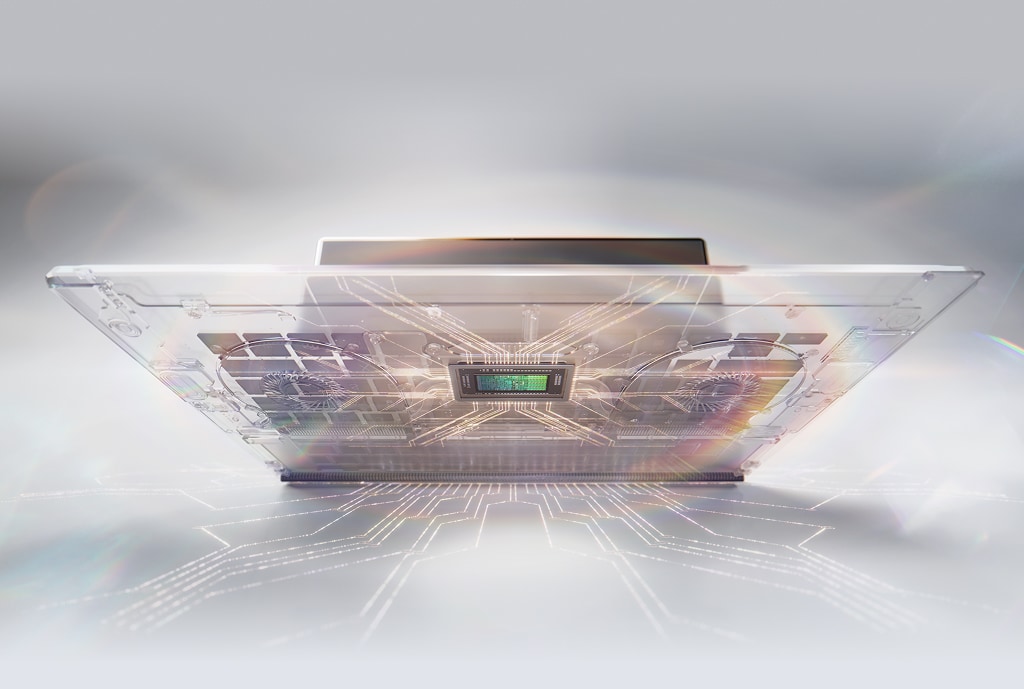
RTX Spark is NVIDIA’s first purpose-built processor for Windows PCs — an ARM-based chip combining a 20-core Grace CPU (built with MediaTek), a Blackwell GPU with 6,144 CUDA cores, and 128GB of unified memory on a single TSMC 3nm package. It delivers 1 petaflop of AI performance and can run 120 billion parameter models locally.
The number that matters most for agents is the 128GB unified memory. Running a capable local model — something in the 70B parameter range — requires that kind of memory headroom. Without it, you’re either quantizing the model down to a point where quality degrades noticeably, or you’re swapping to disk, which kills any speed advantage you had. 128GB unified means a serious model fits comfortably in memory and stays there.
The full CUDA stack running natively is the other thing worth noting. Every tool in the NVIDIA ecosystem — TensorRT, the inference optimization libraries, the entire software stack — runs here. This isn’t a watered-down mobile port. It’s the same stack, on a chip that fits in a laptop.
Pricing is confirmed to be painful: PCWorld reports starting prices around $2,000–$2,500 for base N1 models, with N1X variants running $2,500–$2,900. Laptops ship fall 2026 from ASUS, Dell, HP, Lenovo, MSI, and Microsoft.
The Demo That Shows How This Actually Gets Used
The most useful part of the keynote wasn’t the specs slide. It was the house design demo, and specifically the architecture it revealed.
An agent running locally on RTX Spark controlled Rhino and Blender on the same machine — opening files, modeling geometry, exporting between tools, detecting and fixing its own errors. But when it needed to generate photorealistic renders, it called out to Flux 2 running in the cloud. And the whole thing was described as running with “an open shell sandbox connected to Claude Sonnet in the cloud.”
This is the hybrid agent pattern. Local compute handles everything that benefits from low latency and zero cost-per-call: file operations, tool control, short-context decisions, workflow orchestration. Cloud handles the heavy inference tasks where model quality matters most and the call frequency is lower.
This is actually how I’d want to structure a more sophisticated version of my own automation stack. Right now everything runs in the cloud because that’s the only option at reasonable cost. With local compute available, you split the workload: route cheap, fast, repetitive calls to the local model; route complex reasoning and generation tasks to the best cloud model for that job. You get lower costs, lower latency, and you keep cloud dependency only where it’s genuinely worth it.
The “No Meter Anxiety” Use Cases Are Real
Jensen’s framing around the desktop version — an always-on box sitting at home, connected to everything, running agents continuously — isn’t science fiction. It’s describing a pattern that’s already useful if you’re running any kind of automation business.
Think about what changes when compute is a fixed cost instead of a variable one:
- Email processing — classify every incoming email the moment it arrives, 24/7, with no per-message API cost
- Lead monitoring — run a scraper and scoring agent on a continuous loop without watching a token counter
- File watching — trigger agents on file system events (new invoices, uploaded assets, completed exports) without batching to save costs
- Scheduled research — run competitive monitoring or news digests on a tight schedule without optimizing for inference cost
None of these are impossible on cloud APIs. But every one of them gets cheaper and architecturally simpler when the inference cost drops to zero at the margin.
Adobe’s MCP Server Is the Detail Worth Paying Attention To
Beyond the chip itself, the software ecosystem signal matters. Adobe announced a complete architectural overhaul of Photoshop and Premiere for RTX Spark — 2x performance improvements — but the part that didn’t get enough attention was the MCP server integration.
Adobe shipping an MCP server means Photoshop and Premiere can be called as tools by an agent running on the same machine. If you work with visual assets at any scale — client deliverables, content production, anything involving images or video — this means an agent can invoke professional-grade tools directly without needing a brittle browser automation hack or a custom API wrapper.
MCP is becoming the standard interface for connecting agents to desktop applications. The Model Context Protocol was designed exactly for this: structured, reliable tool access from agent runtimes. When Adobe ships it natively, it signals that the broader creative software ecosystem is moving in this direction. More tools will follow.
What I’d Actually Use This For — And What I’d Wait On
Honest take: I’m not buying a $2,500 laptop in fall 2026 to run local agents. The price is right for developers who need the hardware anyway and want the AI capabilities as a bonus. For someone evaluating this purely as an automation infrastructure decision, the math doesn’t work yet.
Where I think this becomes genuinely interesting is the desktop version. A compact, always-on box — similar to what Jensen showed with the MSI desktop — sitting next to your router, running your agents continuously with no cloud dependency for the routine stuff. If that lands at a reasonable price point (which it hasn’t been announced at yet), that’s the version that changes the calculus for small operations.
The laptop is the right first product to ship. But the desktop is the product that matters for how most automation builders would actually use this.
What I’m watching between now and fall: whether the agent runtime tooling matures fast enough to make local deployment practical without significant DevOps overhead. The chip is ready. The question is whether the software stack around it — model management, agent orchestration, MCP server support across the apps you actually use — catches up in time.
The One Thing to Do Right Now
If you’re building any kind of automation workflow that depends on cloud inference, start tracking your actual per-task API costs today — not just your monthly total, but broken down by workflow. When local compute options become available at a price that makes sense, you’ll know immediately which parts of your stack to move first. That decision gets a lot easier when you have real numbers in front of you instead of a vague sense that it’s “probably worth it.”
The architecture shift Jensen described is real. The timeline is fall 2026. Whether the first hardware is the right buy for your situation is a separate question — but understanding what changes when your agent has local compute is worth working through now, before the options are in front of you.